
Start together
Choose the day and weather. Make space for feelings and the support a child needs.
 Here Comes NextMy visual school day, one step at a time.
A calmer start. A clearer day.
Morning check-ins and visual routines that help children see what’s happening now, what comes next, and where their day is going.
Three-day trial · Email sign-in required · Designed for classroom whiteboards
 Reading
 Creative
Example routine · choose your own activities
Made around the classroom day
Choose the day and weather. Make space for feelings and the support a child needs.
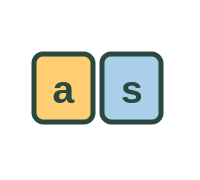
Choose familiar activities, put them in order and display the plan for your class.
Mark an activity finished. Now & Next updates so the next step is easy to see.
One school. A shared tool.
One subscription covers one named school and all its authorised staff using Here Comes Next in its classrooms, with no per-staff subscription charge. Each additional school needs its own subscription, including schools within the same trust.
Before you start
Yes. Sign in by email to try the classroom board free for three days. Use the trial to check your own school’s browser, whiteboard and controls before subscribing.
Use a current browser with JavaScript, cookies and browser storage enabled, an internet connection, and access to your staff email for sign-in. Here Comes Next works with mouse, keyboard or touch controls. Routines stay on the classroom device; offline use is not supported. Please use the free trial to check your own equipment.
At present, routines are saved in the browser on the device being used. They do not sync between devices. School accounts manage access, rather than moving pupil check-ins between classrooms.
No. Staff sign in with a code sent to their email. The free trial lasts three days from first opening and does not start a payment.
Purchasing is not open yet. You can use the free three-day trial and set up your school account. Neither starts a payment or subscription.
Here Comes Next is a classroom support tool. Staff can choose whether its pictures and routines suit their pupils and continue using individual supports where needed.
See it in your setting